TurboLayer NAS Windows MacOS File Backup
US$39.95
Flawless File Sync: The Ultimate TurboLayer Storage Hub
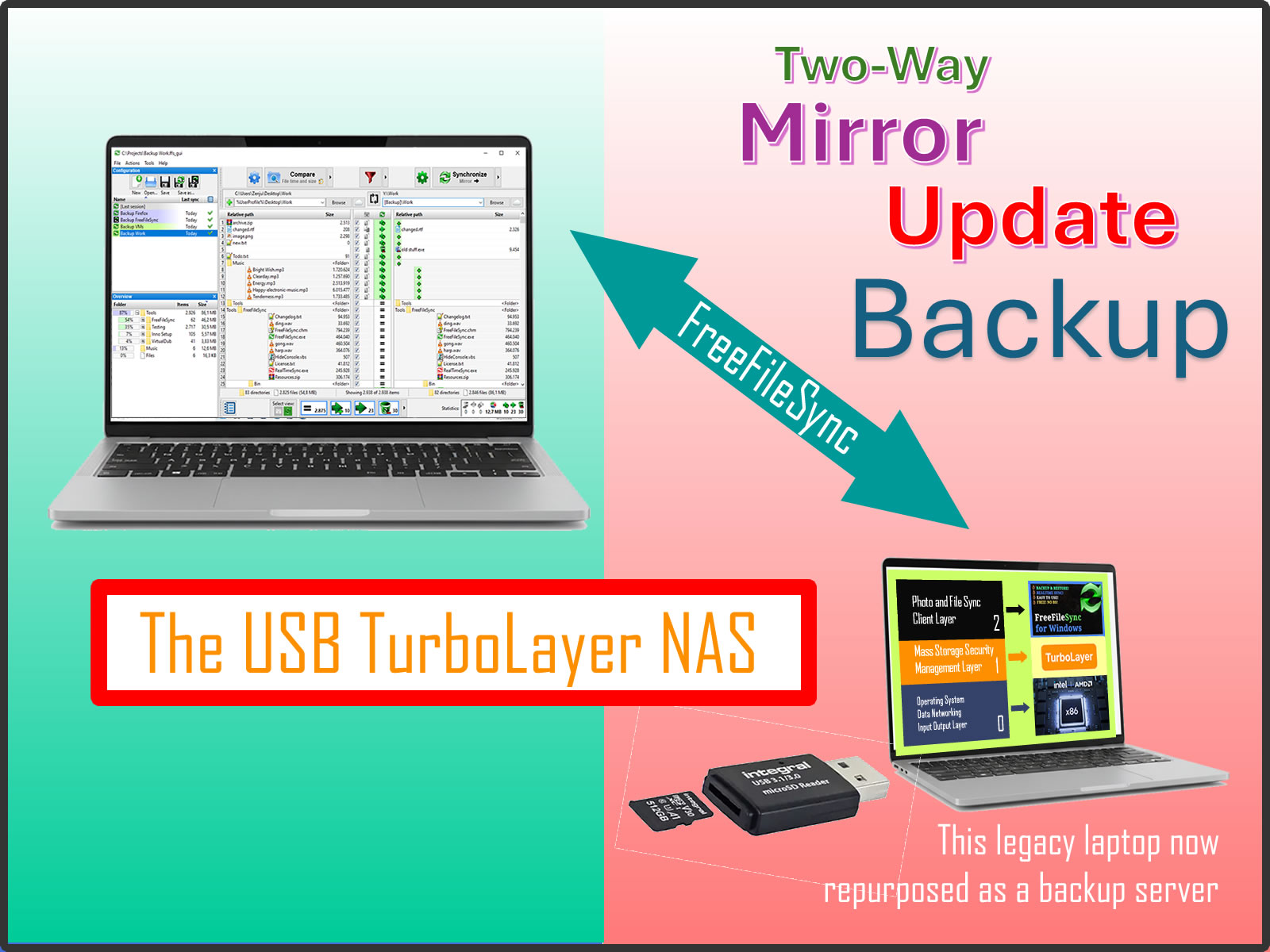
Old laptop now repurposed as a high-performance backup server.This Plug and Play TurboLayer NAS solution kit transforms any spare x86 laptop or PC into a powerful, automated synchronization server.
- Industrial-Strength Syncing: Utilize the world-class FreeFileSync engine to manage mirrors, two-way syncs, and complex file movements with ease.
- Automated "RealTimeSync": Configure your server to detect file changes the moment they happen and trigger instant backups—ensuring your data is never more than a few seconds out of date.
- Your Boot Medium: Simply boot the 32GB USB stick into your PC.
- Beat the Enclosed NAS: Don't buy a restricted, expensive NAS box. Repurpose your old laptop for superior CPU power, built-in battery backup (UPS), and massive cost savings.
- Non-Intrusive OS: The host computer’s internal hard drive remains 100% untouched. All server operations and file logs stay on your external boot drive.
Why FreeFileSync on TurboLayer?
Mainstream NAS products often use proprietary, "black-box" syncing tools. FreeFileSync offers ransparent, bit-level verification and complete control over how your data moves.
Whether you are mirroring a photography portfolio or syncing work documents across multiple machines, you get a visual side-by-side comparison before a single byte is moved.
By self-hosting this on TurboLayer, you avoid the "Walled Garden" of big-brand storage. You get unmatched flexibility: if you need a faster server, just move the USB stick to a newer laptop. No re-configuration required.
What You Get
- 1x USB3.0 SATA III hard disk adapter
- 1x USB Stick with 32GB microSD card - FreeFileSync-Optimized TurboLayer NAS secure storage management
- 1x 12V power supply module
- Step-by-Step Instruction Manual: A clear guide on setting up automated sync tasks and RealTimeSync triggers.
System Requirements for the Host Laptop/PC
TurboLayer leverages standard x86/x64 hardware to outperform budget NAS enclosures:
- Processor: Any x86 or x64 CPU (Intel or AMD).
- RAM: 2 GB minimum (4 GB recommended for handling millions of files).
- Connectivity: Ethernet recommended for maximum transfer speeds; Wi-Fi supported.
- BIOS/UEFI Support: Must support booting from USB/external media.
Installation Process Overview
Skip the DIY headaches—our image handles the heavy lifting:
- Boot Server: Plug the USB stick into your target laptop/PC and configure the BIOS/UEFI to boot from it.
- Connect Your Storage: Plug in the external hard drives or SSDs you wish to use as your storage pool.
- Boot and Sync: Boot the host laptop from the USB. Follow the guide to map your folders and start your first high-speed synchronization.