TurboLayer USB Remote Desktop Connection
The TurboLayer Boot Drive: Your Instant Self-Host Remote Desktop Connection
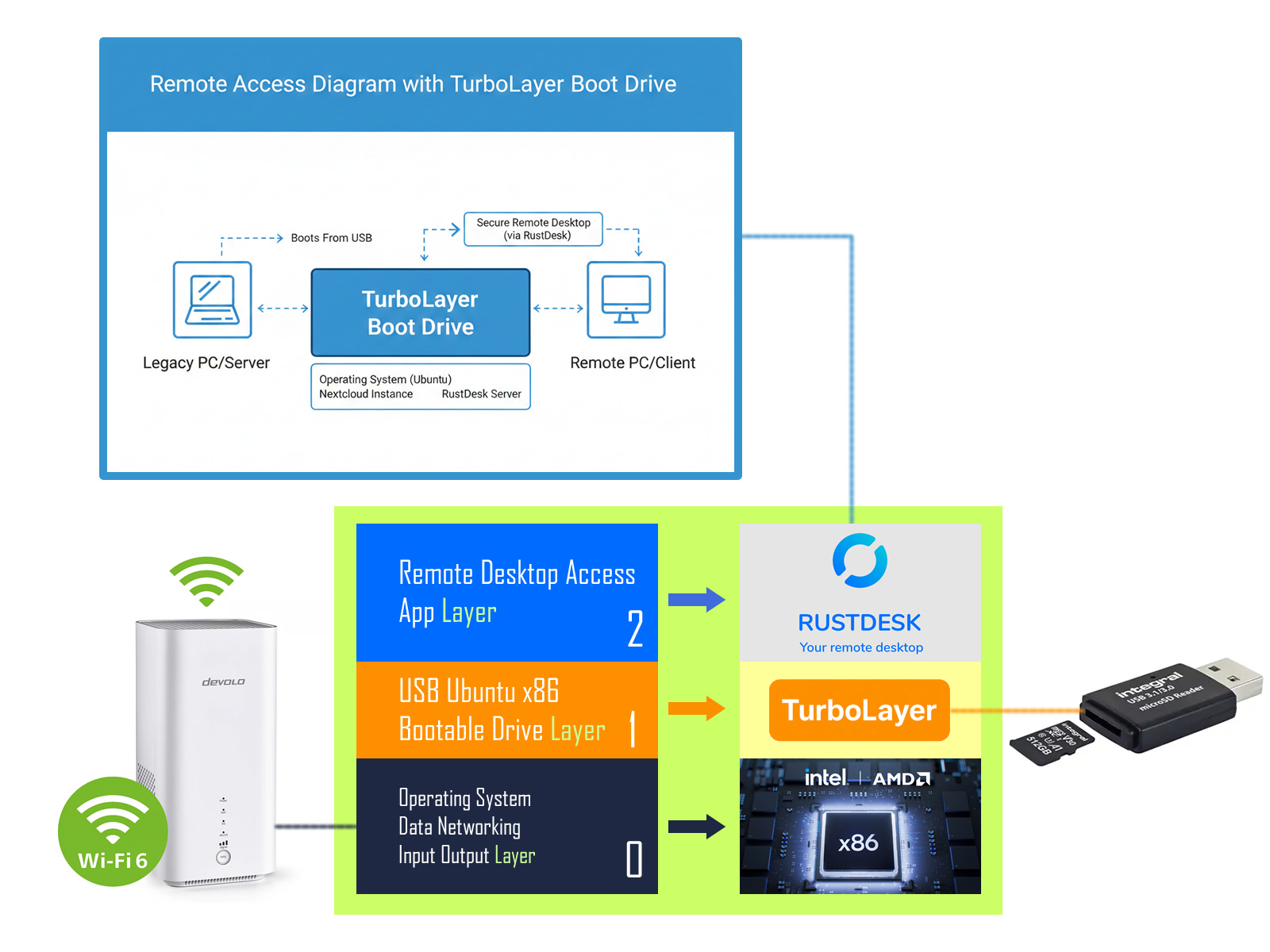
Here's my Journey to Free and Private Remote Desktop Connection (And Why I Built This)
Like many of you, I grew deeply frustrated by the changing landscape of remote access tools. We've all felt the pain: First, TeamViewer started charging prohibitively expensive fees, making casual remote desktop access impossible. Then, popular VNC solutions moved behind paywalls. Even seemingly "free" services like Google Remote Desktop come with the hidden cost of knowing a third-party IT giant is monitoring your connection data.
I realized this was unacceptable. I needed to be able to travel and still maintain full, secure remote control over my home Windows 11 PC, without paying hundreds of dollars annually and, critically, without corporate eyes watching every click.
The solution I discovered also solves a major travel headache: by leaving the physical computer at home and accessing its files and desktop remotely, I no longer have to bring my laptop for airport custom checks, allowing me to travel light and avoid security hassles. This exact need is why I became so passionate about self-hosting, and why I'm eager to share this solution with you.
The solution is simple: self-host the server yourself.
Why Power Your Server with the TurboLayer Boot Drive? Simple Setup. Only $10
You’re not buying the software; you’re buying back your time. Our nominal charge covers the extensive effort required to create a single, universally compatible image that bypasses the complex, multi-day setup headaches that plague most DIYers. This image is ready to flash and boot, saving you hours of frustrating debugging over UEFI, GRUB, and legacy hardware compatibility.
The result: Instant stability and access without the technical headache.
The TurboLayer Boot Drive solves this by pre-configuring the platform for RustDesk—a powerful, open-source remote desktop alternative. By hosting your own RustDesk server on your legacy PC, you gain:
- Travel Light: No need to carry your bulky work laptop through airport security or customs.
- Zero Subscription Fees: Full, continuous access without crippling annual costs.
- Total Privacy: Your connection and session data never touch a third-party corporate server.
This commitment to privacy and freedom extends to every application on our platform. Tired of relying on Big Tech for your most private files, passwords, and data? The TurboLayer Boot Drive is the simplest, safest way to turn any old x86 PC into a powerful, private, self-hosted server—instantly.
Core Features Ready Out of the Box
This platform is non-destructive, safe, and works across a wide range of x86 hardware. These essential services are ready to go immediately after booting:
- TurboLayer NAS: Instantly manage and share the storage on your revived PC. Turn the old hard drive into a secure, fast network-attached storage (NAS) device accessible over your Wi-Fi network.
- TurboLayer VPN: Pre-configured foundation for your own private Virtual Private Network. Access your home network securely from any location, routing all your traffic through your own private tunnel.
- Non-Destructive Access: The USB stick leaves the laptop's original hard drive completely untouched, guaranteeing the safety of your existing files.
Expand Your Freedom: Applications Ready to Deploy
The true power of this platform lies in the privacy-focused applications you can run concurrently. Stop paying monthly fees and take back control of your digital life:
| Application / Service | What You Get | Why You Need It |
|---|---|---|
| Nextcloud | Private Cloud Sync & Share | The easiest way to self-host a full Dropbox/Google Drive replacement, giving you total ownership of your files, calendar, and contacts. |
| RustDesk | Private Remote Desktop | A self-hosted alternative to TeamViewer, giving you secure, private control over your devices without third-party intervention. |
| Vaultwarden | Encrypted Password Manager | Host your personal password vault that is 100% under your control, eliminating reliance on cloud companies. |
| Kopia | Secure, Deduplicated Backup | A robust tool to manage your data using the critical **3-2-1 Backup Rule** directly from your server. |
| PairDrop | Cross-Platform File Transfer | The simple, fast solution for sending large files between phones, tablets, and PCs (like AirDrop, but for all devices). |
| copyparty | Reliable File Upload Server | Guarantees simple, successful large uploads and media sharing, avoiding the frustrating timeouts of standard cloud services. |
| BentoPDF / Vert | Document & File Conversion Tools | Run productivity tasks locally, keeping sensitive documents and files away from online conversion services. |
Get Started Now: The $10.00 TurboLayer Boot Drive Image
Purchase the $image.xz$ download for just $10.00. Follow our simple guide (using Rufus) to flash the image onto your own USB stick and unlock your self-hosting journey.
Click Here to Download Your TurboLayer Boot Drive Image!